

Are you ready to take the next step in your educational, professional, or community journey, but find the stack of paperwork daunting? Knowing what to prepare before filling in the enrollment form is the single most important factor for a smooth and successful application process. Being prepared not only saves you time and reduces stress but also ensures your information is accurate, complete, and presented professionally, making a positive first impression.
To prepare for filling out an enrollment form, you should first gather all necessary documents. This typically includes personal identification, proof of address, medical records, and academic or employment history. Next, carefully read all instructions, complete a draft if possible, and then fill out the final form with clear, accurate information. Finally, review your submission for any errors and make a copy for your personal records before submitting it.

Why Preparation Is Crucial for a Smooth Enrollment Process
Proper preparation is the foundation of a stress-free enrollment experience. When you take the time to gather your documents and understand the requirements beforehand, you prevent the frantic last-minute search for a missing piece of information. This proactive approach allows you to focus on providing accurate details rather than rushing to meet a deadline, which significantly reduces the chance of making critical errors that could delay or even jeopardize your application.

Furthermore, well-prepared enrollment forms are essential for accurate record keeping and planning by the institution. Whether it's a school, a college, or a community program, the staff relies on this data for everything from creating student profiles to planning for upcoming vacancies. Submitting a complete and correct form demonstrates your diligence and respect for the organization's processes, setting a positive tone for your future interactions. It shows that you are a serious and organized applicant.

Gathering Your Essential Documents and Information
Before you even pick up a pen or click on a link to an online form, the most efficient step you can take is to collect all the required information. Most applications ask for similar categories of data, so having these documents on hand will streamline the process for any form you need to complete. This preparation phase is your best defense against incomplete applications and unnecessary delays.

Personal Identification for All Applicants
Nearly every enrollment form will require proof of identity and age. For children, this is typically a birth certificate. For adults, a government-issued photo ID such as a driver's license, passport, or national identity card is standard. Ensure you have clear, legible copies of these documents ready, as some applications may require you to upload or attach them.
It's also wise to have digital scans of these documents saved in a secure folder on your computer. Many applications in 2026 are submitted online, and having high-quality digital copies will save you the time and effort of scanning them during the application itself. Check the specific requirements for file types (like PDF or JPG) and size limits.
Contact and Emergency Information
You will need to provide your full name, current address, phone number, and email address. Be sure to use an email account that you check regularly and that has a professional-sounding name. Beyond your own details, you must also provide emergency contact information. This includes the name, relationship, and phone number of at least one, and often two, trusted individuals who can be reached if you are unavailable.
Before listing someone as an emergency contact, it is courteous and practical to ask for their permission. Confirm that their contact details are up to date and that they are aware they might be contacted in an emergency. This ensures they are prepared to respond appropriately if the institution needs to reach them.
Medical History and Immunization Records
For programs involving children, such as childcare enrollment forms, or for activities that involve physical exertion, a medical history section is common. This includes listing any allergies, chronic conditions, medications, and the contact information for your primary physician or pediatrician. Having this information compiled in one place is incredibly helpful.
Immunization records are particularly important for schools and childcare centers to ensure the health and safety of all participants. Locate your or your child's official immunization record from your doctor's office. Make copies and, if possible, have a digital version ready to upload. Some institutions may also require a recent physical examination report signed by a healthcare provider.
Proof of Residency or Address
Many public schools and community programs have residency requirements. To verify your address, you will typically need to provide a recent utility bill (gas, electric, or water), a lease agreement, or a mortgage statement. The document must show your name and the service address, and it usually needs to be dated within the last 30 to 60 days.
Check the form's instructions to see what specific types of documents are accepted as proof of residency. Some organizations are stricter than others. For example, a cell phone bill may not be accepted. Having a few different options ready can prevent delays if your first choice is not valid.
Academic or Employment History
For educational or professional programs, you will need to detail your past experiences. For college applications, this means gathering your high school transcripts, standardized test scores (like SAT or ACT), and a list of extracurricular activities. For job training or professional certifications, you may need a resume detailing your work history, including company names, job titles, dates of employment, and key responsibilities. Female Quran Teacher Online.
Compiling this information can be time-consuming, so do it well in advance. Request official transcripts from previous schools early, as they can take weeks to process. Having a master document with all this information makes it easy to copy and paste into various online applications, ensuring consistency and accuracy across all submissions.
Financial Information or Payment Details
Most programs require payment for tuition, fees, or membership. Be prepared to provide payment information, which could be a credit card, debit card, or bank account details for direct debit. For applications involving financial aid or scholarships, the requirements are much more extensive. You may need tax returns, pay stubs, and other documents to verify your income.
When providing financial information online, always ensure you are on a secure website (look for "https" in the URL). Have your payment method handy when you sit down to fill out the form to avoid having to stop and search for it. If applying for aid, start the process of gathering financial documents as soon as possible, as it is often the most complex part of any application.
| Document / Information | School / Childcare | College / University | Community Program |
|---|---|---|---|
| Personal ID (Birth Certificate, Passport) | Required | Required | Often Required |
| Proof of Residency (Utility Bill) | Required | Often Required | Sometimes Required |
| Emergency Contacts | Required | Required | Required |
| Immunization & Medical Records | Required | Required | Sometimes Required |
| Academic Transcripts | For transfers | Required | Not Usually |
| Standardized Test Scores | Not Usually | Often Required | Not Usually |
| Payment Information | Required | Required | Required |
Understanding the Common Sections of an Enrollment Form
While every form is slightly different, most follow a logical structure that collects information in distinct categories. Familiarizing yourself with these common sections can make the task feel less intimidating. Typically, a form begins with personal details, moves on to more specific information related to the program, and concludes with agreements and signatures.

Common sections include applicant information (name, DOB, address), parent/guardian information (if applicable), academic/employment history, medical information, emergency contacts, and a payment section. You may also find sections for special needs, dietary restrictions, or personal statements. Knowing this format helps you anticipate what comes next and ensures you have the relevant data ready for each part.
A Step-by-Step Guide to Filling Out the Form Accurately
Once you have all your documents gathered, it's time to complete the form. A systematic approach is your best strategy for accuracy and completeness. Follow these steps to navigate the process efficiently and avoid common pitfalls. Adult Quran Classes Online.
Step 1: Read All Instructions Carefully
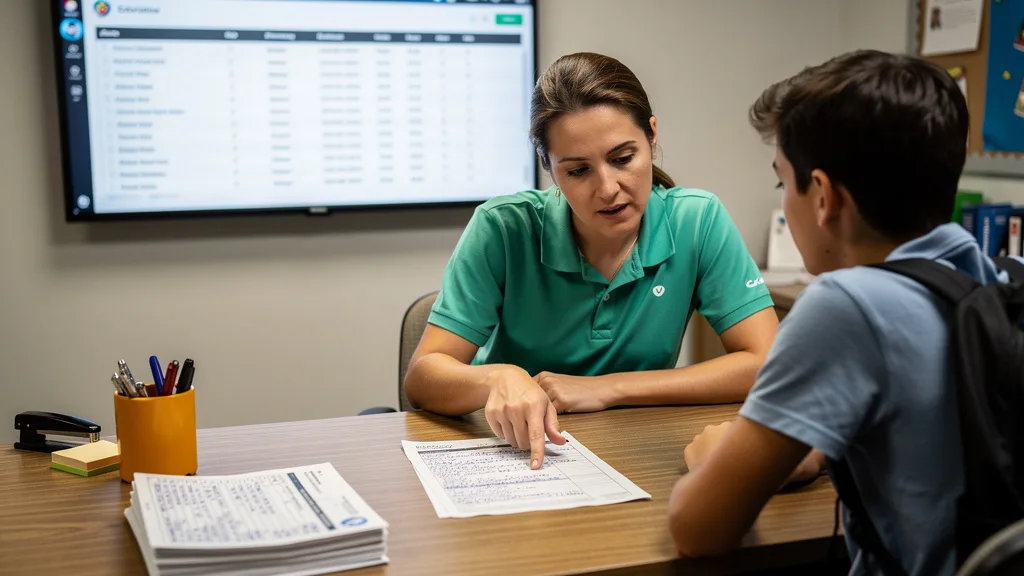
Before writing anything, read through the entire form and its instructions. This initial review helps you understand the scope of the information needed, identify any sections that are confusing, and note any required attachments. Pay close attention to formatting requirements, such as writing in block letters, using black ink, or specific file formats for online submissions. This simple step can prevent the need to start over due to a misunderstanding.
This is especially important when you need to apply to colleges tips to get started often emphasize reading every question twice. Misinterpreting a prompt can lead to providing the wrong information, which can negatively impact your application's evaluation. Highlight or make notes on any parts you need to return to or gather additional information for.
Step 2: Complete a Draft or Practice Copy
For paper forms, make a photocopy and fill that out first. For online forms, you can type your answers into a separate document. This allows you to gather your thoughts, compose answers for essay questions, and make corrections without creating a messy final document. A draft is your opportunity to perfect your responses before committing them to the official form.
Using a draft helps ensure consistency, especially if you are filling out multiple applications. It also provides a low-pressure environment to work through any complex sections. Once you are confident with your draft, transferring the information to the final form becomes a much faster and more accurate process.
Step 3: Fill in Each Section with Clear Information
When you are ready to complete the official form, work through it section by section. If it is a paper form, use clear, legible handwriting. Print your answers if your cursive is difficult to read. For online forms, type carefully and use proper capitalization and punctuation. Avoid using jargon or abbreviations unless specified.
Answer every question, even if it is to write "N/A" (Not Applicable). Leaving fields blank can cause confusion and may lead to the form being returned as incomplete. Double-check that the information you are entering matches your source documents exactly, especially for numbers like dates of birth, addresses, and ID numbers.
Step 4: Review and Double-Check for Errors
Before you submit the form, review it one last time. It is incredibly easy to make simple typos or transcription errors. Read through every field to check for spelling mistakes, incorrect dates, or transposed numbers. If possible, have a trusted friend or family member look it over as well; a fresh pair of eyes can often spot mistakes you might have missed.
This final review is your last line of defense against preventable errors. Check that you have signed and dated the form in all the required places. For online forms, click through each section to ensure all data has been saved correctly before hitting the final "submit" button. This step is a small investment of time that can save you significant trouble later.
Step 5: Make Copies for Your Personal Records
Never submit an enrollment form without keeping a copy for yourself. For paper forms, make a photocopy or take a clear picture with your phone. For online submissions, save a PDF of the completed form or take screenshots of each page before you submit. This copy serves as your proof of submission and a record of the information you provided.
This record is invaluable if your application gets lost or if there are any questions about the information you submitted. It also serves as a handy reference for future applications, as you can easily look up dates, addresses, and other details you have used before. Store these copies in a safe and organized file, either physical or digital.
Tips for Different Types of Enrollment Applications
The information and focus of an enrollment form can vary significantly depending on its purpose. While the core principle of preparation remains the same, tailoring your approach to the specific type of application can be beneficial. Here are some tips for common enrollment scenarios.

For School or Childcare Enrollment
When enrolling a child, the focus is on safety, health, and parental consent. Be prepared with detailed medical information, including allergies, medications, and your pediatrician's contact details. Immunization records are almost always mandatory. You will also need to provide multiple emergency contacts and authorized pickup persons.
"A well-prepared enrollment form is more than just paperwork; it's the first impression you make on an institution and a crucial step for accurate record keeping. Knowing what to prepare before filling in the enrollment form is the best way to ensure your child's safety and a smooth start."
Clearly list any special needs, learning accommodations, or dietary restrictions. This information is not just administrative; it is vital for the school staff and family welcome centers to provide the best care for your child from day one. Being thorough and transparent helps build a trusting relationship with the caregivers and educators.
For College and University Applications
Applying to college is a comprehensive process where you need to present a holistic view of yourself. Beyond grades and test scores, admissions officers want to know who you are. Start gathering materials for filling out college applications months in advance. This includes official transcripts, letters of recommendation, and a portfolio of your extracurricular activities, awards, and volunteer work.
The personal essay or statement of purpose is a critical component. Brainstorm ideas, write multiple drafts, and get feedback from teachers or counselors. This is your chance to showcase your personality, goals, and why you are a good fit for the university. Preparation is key to crafting a compelling narrative that sets you apart from other applicants.
For Community Programs or Memberships
Enrollment for community programs, such as sports leagues, art classes, or volunteer organizations, is typically more straightforward. However, preparation is still important. You will likely need basic personal and emergency contact information, and you may need to sign liability waivers or a code of conduct agreement.
For some programs, you might need to provide information about your skill level or previous experience to ensure proper placement. Taking the time to prepare for this step can also be a moment for personal reflection. Joining a new community is an opportunity for growth, and considering your spiritual or personal goals, such as learning about powerful duas to control desires, can be part of this holistic journey.
Common Mistakes to Avoid When Submitting Your Form
Even with the best preparation, simple mistakes can happen. Being aware of common errors can help you actively avoid them. One of the most frequent issues is illegible handwriting on paper forms. If an administrator cannot read your information, they cannot process it. Always print clearly in block letters.

Other common mistakes to watch for include:
- Leaving fields blank: Always fill in every required field. Use "N/A" if a question does not apply to you.
- Using an unprofessional email address: Create a simple, professional email for applications (e.g., firstname.lastname@email.com).
- Forgetting to sign and date: An unsigned form is invalid. Double-check for all signature lines before submitting.
- Missing the deadline: Note the submission deadline and give yourself plenty of time. Rushing leads to errors.
- Submitting incomplete information: Ensure all required attachments, like transcripts or ID copies, are included with your submission.
A final common error is providing inconsistent information across different documents. For example, ensure the name on your application exactly matches the name on your personal ID. Small discrepancies can cause significant processing delays, so a thorough final review is essential for a successful submission.
Key Takeaways
Navigating enrollment forms doesn't have to be a stressful experience. By focusing on preparation, you can ensure a smooth and successful process. Remember that these forms are the first step in building a relationship with an institution, and a well-completed application sets a positive precedent.
Here are the essential points to remember:
- Gather Documents First: Collect all necessary IDs, medical records, academic history, and other required documents before you begin.
- Read Instructions Thoroughly: Understand all requirements, deadlines, and formatting rules before you write anything.
- Work from a Draft: Use a practice copy to avoid errors and create a clean, professional final version.
- Review and Proofread: Always double-check your completed form for accuracy and completeness before submitting.
- Keep Copies: Save a copy of every submitted application for your personal records. This is your proof and reference.
Ultimately, knowing what to prepare before filling in the enrollment form is about being proactive and organized. This approach not only saves you time but also demonstrates your competence and seriousness as an applicant, whether you're enrolling your child in a new school or applying for an advanced degree.
Frequently Asked Questions
Can I fill out an enrollment form online?
Yes, in 2026, most organizations offer online enrollment forms for convenience and efficiency. These digital forms often allow you to save your progress and return later. Always ensure you are on a secure website (with an "httpshttps" URL) before entering sensitive personal information. Make sure to save a digital copy or screenshot of your submission for your records.
Online forms often have data validation that helps prevent simple errors, like leaving a required field blank. However, it's still crucial to review all your typed information for accuracy before you click the final submit button. Once submitted, you typically cannot make changes, so that final review is vital.
What should I do if I make a mistake on a paper form?
If you make a small mistake on a paper form, it's best to use a single, neat line to cross out the incorrect information and write the correction clearly above or beside it. You can initial the change to show it was intentional. Avoid using correction fluid or tape, as many institutions do not accept forms with it.
If you make a significant error or the form becomes messy, the best course of action is to start over with a fresh form if one is available. This is why making a photocopy to use as a draft is a highly recommended practice. A clean, neat form always makes a better impression.
How long does it typically take to complete an enrollment form?
The time required varies greatly depending on the complexity of the application. A simple community program form might take only 15-20 minutes if you have your information ready. However, a detailed college or financial aid application could take several hours or even days to complete, especially if it requires personal essays and extensive documentation.
The key to managing your time is preparation. If you have already gathered all your documents and information, the actual process of filling out the form will be much faster. Always budget more time than you think you'll need to avoid rushing and making mistakes.
Is it safe to provide sensitive information on enrollment forms?
Reputable organizations have strict policies to protect your sensitive information. For online forms, verify the website is secure by looking for the padlock icon and "https" in the URL. For paper forms, submit them directly to the organization's office rather than sending them through unsecured mail if possible.
Be cautious of any form that asks for unnecessary information, like your social media passwords or bank account PINs. Legitimate forms will never ask for this. If you have concerns about why certain information is being requested, do not hesitate to contact the organization and ask for clarification on their data privacy and security policies.
Who should I contact if I have questions about the form?
If you have any questions or are unsure about a section of the form, you should contact the admissions or administration office of the organization. Most forms will list a contact person, phone number, or email address for inquiries. It is always better to ask for clarification than to guess and provide incorrect information.
Reaching out with questions shows that you are diligent and want to provide accurate information. Prepare your questions beforehand to make the conversation efficient. This is a normal part of the application process, and staff are there to help guide you.
Conclusion
Mastering the enrollment process comes down to one core principle: preparation. By understanding what to prepare before filling in the enrollment form, you transform a potentially stressful task into a manageable series of steps. Gathering your documents, reading instructions carefully, and double-checking your work are the pillars of a successful application that makes a strong first impression.
The key takeaways are to be proactive and organized. Whether for childcare, college, or a community program, a complete and accurate form demonstrates your reliability and respect for the process. This diligence not only prevents delays but also sets the stage for a positive relationship with the institution you wish to join. This organized approach to new beginnings can be applied to many areas of life, including your personal and spiritual development journey.
While many applications for schools or universities can be intensive, not all enrollment paths need to be complicated. At Hidayah Quran Academy, we believe your journey into Quranic learning should be smooth and accessible from the very first step. Our enrollment process is designed to be straightforward, focusing on connecting you with a qualified female teacher for your educational needs.
Ready to begin your learning journey with ease? We invite sisters, children, and adult beginners to experience our private 1-on-1 classes. You can see if our approach is right for you with a no-obligation trial. Book Free Trial today to get started.
💡 Want Your Child to Learn Quran from Home?
Give your child the gift of fluent Quran reading with correct Tajweed and Islamic values. Join hundreds of American Muslim families learning 1-on-1 with certified female tutors.
Book a Free 3-Day Trial Class →